
Common Mistakes to Avoid When Using Cat5e FTP 180 Degree Toolless Jacks
Common Mistakes to Avoid When Using Cat5e FTP 180 Degree Toolless Jacks
Table of Contents
- Understanding Cat5e FTP Toolless Jacks
- The Importance of Using the Correct Tools
- Mistake #1: Inadequate Cable Preparation
- Mistake #2: Improper Insertion Technique
- Mistake #3: Neglecting Visual Inspections
- Mistake #4: Failing to Follow Wiring Standards
- Mistake #5: Ignoring Environmental Factors
- Mistake #6: Not Testing the Connection
- Best Practices for Using Cat5e FTP Toolless Jacks
- Conclusion
- FAQs About Cat5e FTP Toolless Jacks
Understanding Cat5e FTP Toolless Jacks
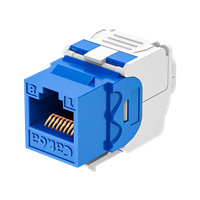
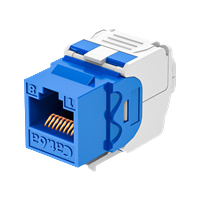
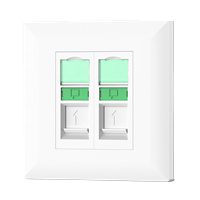
Cat5e FTP 180 degree toolless jacks are essential components in modern networking. Designed to simplify the installation of Ethernet cables, these jacks eliminate the need for complex tools, making them a go-to choice for both amateur and professional electricians.
These connectors support Fast Ethernet and Gigabit Ethernet applications, capable of delivering high-speed data transmission. Their design is optimized for minimal signal loss and interference, crucial for maintaining network integrity. Understanding how to use these jacks effectively is vital for anyone involved in networking installations.
The Importance of Using the Correct Tools
While Cat5e FTP toolless jacks are designed for easy installation, using the correct tools is still critical. Employing subpar tools can lead to poor connections and network issues.
Key tools include:
- Wire Strippers: To prepare cable ends without damaging the wires.
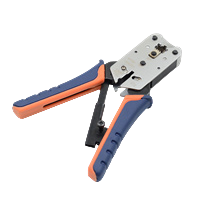
- Crimp Tools: Useful for certain applications, even with toolless jacks.
- Network Cable Tester: Essential for verifying connectivity after installation.
Utilizing the right tools ensures that you achieve the best performance from your Cat5e installations.
Mistake #1: Inadequate Cable Preparation
One of the most common mistakes when working with Cat5e FTP jacks is inadequate cable preparation. Proper preparation involves stripping the cable to the correct length and making sure the individual wires are arranged properly.
To prepare your cable:
- Strip approximately 1 inch of the outer jacket.
- Untwist the pairs of wires gently to minimize the length of untwisted wires.
- Align the wires according to the T568A or T568B wiring standard.
Failing to prepare the cable properly can lead to connection issues and degraded network performance.
Mistake #2: Improper Insertion Technique
Using improper insertion techniques can result in a poor connection within the toolless jack. It’s essential to insert the wires into the jack correctly to ensure that they make proper contact with the connectors.
Follow these steps for a successful insertion:
- Insert the prepared wires into their corresponding slots, ensuring they reach the back of the jack.
- Use the provided lever to secure the wires in place without excessive force.
- Ensure that each wire is fully inserted and not partially out of the connector.
By ensuring proper insertion, you mitigate the risk of connection failure.
Mistake #3: Neglecting Visual Inspections
A visual inspection is a crucial step in the installation process that many technicians overlook. After inserting the wires, it is important to check for any visible issues.
During your inspection, look for:
- Wires that are not fully seated in their respective slots.
- Signs of damage or wear on the cable.
- Misalignment of wires compared to standard color codes.
Performing thorough visual inspections can catch potential problems before they escalate.
Mistake #4: Failing to Follow Wiring Standards
Adhering to recognized wiring standards is crucial for ensuring compatibility and performance. The T568A and T568B standards dictate the arrangement of wires within the cable.
Choose one standard and consistently apply it throughout your installation. Mixing standards can lead to connectivity issues and could degrade network performance. Additionally, clearly labeling your wiring helps future technicians easily troubleshoot and maintain the system.
Mistake #5: Ignoring Environmental Factors
Environmental factors can significantly impact the performance of your Cat5e FTP jacks. High temperatures, humidity, and electromagnetic interference can all cause issues.
Consider these environmental aspects:
- **Temperature:** Ensure that installations are not subject to excessive heat or cold.
- **Moisture:** Avoid areas where moisture could accumulate.
- **Electromagnetic Interference (EMI):** Keep cables away from high-power electrical lines or equipment that may introduce noise.
By addressing environmental considerations, you can enhance the reliability and longevity of your network.
Mistake #6: Not Testing the Connection
Finally, one of the most critical steps in using Cat5e FTP jacks is testing the connection after installation. Many technicians skip this step, assuming that the installation was successful.
Use a network cable tester to verify the connection. Ensure that:
- All pairs are correctly wired.
- There are no open or short circuits.
- The cable meets the required performance standards for data transmission.
Testing ensures that your installation is reliable and performs as expected.
Best Practices for Using Cat5e FTP Toolless Jacks
To mitigate the common mistakes discussed, implement these best practices:
- **Plan Ahead:** Always have a clear plan for your installation before starting.
- **Use Quality Components:** Invest in high-quality cables and jacks to ensure longevity.
- **Stay Organized:** Keep your workspace tidy to avoid confusion during installation.
- **Document Your Work:** Record wiring layouts and standards used for future reference.
- **Provide Training:** Ensure all personnel working with networking equipment are properly trained.
Conclusion
Understanding the common mistakes associated with Cat5e FTP 180 degree toolless jacks is essential for anyone involved in network installations. By adhering to best practices, including proper cable preparation, correct insertion techniques, and thorough testing, technicians can ensure optimal performance and reliability in their networks. Avoiding these pitfalls not only enhances the immediate functionality of the installation but also contributes to long-term network integrity.
FAQs About Cat5e FTP Toolless Jacks
1. What is a Cat5e FTP toolless jack?
A Cat5e FTP toolless jack is a connector designed for Ethernet cables, allowing for simplified installations without the need for crimping tools.
2. How do I know if my installation is correct?
Use a network cable tester to verify the integrity of your connections and ensure compliance with wiring standards.
3. Can I use Cat5e FTP jacks for outdoor installations?
While Cat5e cables can be used outdoors, ensure you use jacks rated for outdoor use and protect them from environmental elements.
4. What tools do I need to install Cat5e FTP toolless jacks?
Basic tools include wire strippers, a network cable tester, and possibly a crimping tool for other types of connectors.
5. Is it necessary to follow wiring standards?
Yes, following wiring standards like T568A or T568B is crucial for ensuring compatibility and performance across your network.
Latest news & events

Mar 17,2026
Keystone Jack: Essential Component for Modern Networking Solutions
Newest Keystone jack brands offer high-performance, reliable, and versatile connectors for modern networking needs
Learn more
Mar 12,2026
Network Cable Boots Enhancing Protection and Reliability in Modern Cabling Systems
China Network Cable Boots factory produces premium PVC covers that protect Ethernet connectors and ensure stable data flow
Learn more
Mar 11,2026
RJ45 Connector: The Essential Interface Driving Modern Network Connectivity
In the rapidly evolving world of digital communication, reliable data transmission is fundamental to the functioning of modern networks. One of the most widely used components enabling this connectivity is the RJ45 connector
Learn more

HYCONNECT provides integrated solutions for cabling infrastructure system copper and fiber. The major components including Cat5e/6/6A/7/8 keystone jack,patch panel,faceplate,plug and cable management,fiber optic patch cable,adapter,and fiber patch panel
No. 240, New Zhoutang Road, Qiaotou Town, Cixi City , Ningbo Zhejiang, China
