
Mastering Networking: Essential Tips for Successfully Utilizing FTP Keystone Jacks
Mastering Networking: Essential Tips for Successfully Utilizing FTP Keystone Jacks
Table of Contents
1. Understanding FTP Keystone Jacks
2. The Importance of Networking in Modern Installations
3. Choosing the Right FTP Keystone Jack
4. Installation Process for FTP Keystone Jacks
5. Common Mistakes to Avoid When Using FTP Keystone Jacks
6. Troubleshooting FTP Keystone Jack Issues
7. Best Practices for Maintaining Your Network
8. Conclusion
9. FAQs
Understanding FTP Keystone Jacks
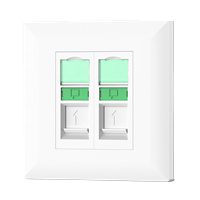
FTP Keystone Jacks are essential components in structured cabling systems. These small, modular connectors allow for the easy termination of twisted pair cables, enabling high-speed data transmission. Designed to support Ethernet and a variety of networking protocols, they come in various configurations to suit different applications. The right selection of keystone jacks can significantly enhance network reliability and performance.
What Are FTP Keystone Jacks?
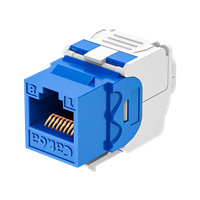
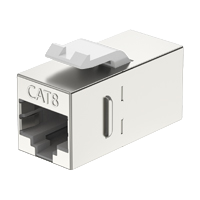
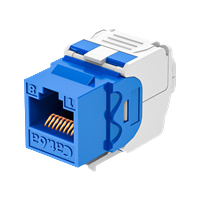
FTP (Foiled Twisted Pair) Keystone Jacks are connectors that feature a foil shield to reduce electromagnetic interference (EMI). They are designed for use with twisted pair cables, providing a secure and efficient way to connect network devices. Their modular design allows for easy installation and replacement, making them a popular choice for both commercial and residential networking projects.
The Role of FTP Keystone Jacks in Networking
FTP Keystone Jacks play a pivotal role in ensuring optimal network performance. They help maintain the integrity of data signals by minimizing crosstalk and interference. Properly installed jacks contribute to the overall efficiency of the network, ultimately enhancing connectivity and reducing downtime.
The Importance of Networking in Modern Installations
In today’s digital landscape, effective networking is crucial for operational success. Businesses and homes rely on robust networks to facilitate communication, data sharing, and internet access. Understanding the vital role of networking components, such as FTP Keystone Jacks, is essential for ensuring a seamless online experience.
Enhancing Communication and Collaboration
With remote work becoming the norm, efficient networking is more critical than ever. High-quality connections ensure clear communication, allowing teams to collaborate effectively regardless of their physical location. FTP Keystone Jacks help facilitate this by providing stable and reliable connections.
Supporting Advanced Technologies
As technology evolves, so do networking requirements. From smart home devices to advanced business applications, a reliable network infrastructure is necessary to support these innovations. FTP Keystone Jacks are designed to handle higher bandwidths, making them suitable for modern applications.
Choosing the Right FTP Keystone Jack
Selecting the appropriate FTP Keystone Jack is crucial for optimal network performance. Factors to consider include the type of cabling, the specific network applications, and installation environment.
Types of FTP Keystone Jacks
There are various types of FTP Keystone Jacks available, each designed for different applications. Consider the following when making your choice:
- Shielded vs. Unshielded: Shielded jacks offer extra protection against EMI, making them ideal for environments with high interference.
- Category Ratings: Different jacks support different categories of Ethernet (Cat 5e, Cat 6, Cat 6a, etc.), impacting speed and bandwidth.
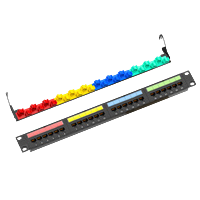
- Form Factor: Ensure the jack fits properly into your wall plates or patch panels.
Assessing Environmental Factors
The installation environment can significantly influence your choice. For instance, if you're installing in an area with high humidity or exposure to dust, opt for jacks designed for rugged conditions.
Installation Process for FTP Keystone Jacks
Proper installation is essential for ensuring the functionality and longevity of FTP Keystone Jacks. Follow these steps to ensure a successful installation.
Preparation and Tools Needed
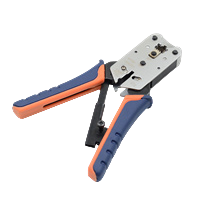
Before installation, gather all necessary tools, including a wire cutter, stripping tool, punch-down tool, and a cable tester. Having everything ready will streamline the process.
Step-by-Step Installation Guide
- Strip the Cable: Carefully strip about 1 inch of the outer jacket from the twisted pair cable, exposing the individual wires.
- Untwist and Arrange Wires: Untwist the pairs but keep them as short as possible. Arrange them according to the T568A or T568B wiring standard.
- Punch Down Wires: Using the punch-down tool, insert the wires into the corresponding slots on the jack, ensuring a secure connection.
- Secure the Jack: Once all wires are punched down, secure the jack into the wall plate or patch panel.
- Test the Connection: Use a cable tester to verify the installation's integrity and ensure proper functionality.
Common Mistakes to Avoid When Using FTP Keystone Jacks
Avoiding common pitfalls during installation and use can enhance the performance of your network. Here are some mistakes to watch out for:
Improper Wiring Standards
Adhering to wiring standards is crucial for ensuring signal integrity. Mixing T568A and T568B standards can lead to connectivity issues.
Excessive Cable Untwisting
Untwisting cables too much can result in increased crosstalk and interference. Minimize untwisting to maintain signal quality.
Neglecting to Test Connections
Always test connections after installation. Failing to do so may result in undetected issues that can affect network performance.
Troubleshooting FTP Keystone Jack Issues
If you encounter problems with your FTP Keystone Jacks, follow these troubleshooting tips to identify and resolve issues.
Identifying Connectivity Problems
Connectivity problems can arise due to various factors, including faulty installation or damaged cables. Start by checking physical connections and ensuring all cables are properly seated.
Using a Cable Tester
A cable tester can help pinpoint issues by verifying continuity and identifying wiring errors. Follow the device’s instructions for accurate results.
Inspecting for Damage
Regularly inspect cables, connectors, and jacks for signs of wear or damage. Promptly replace any compromised components to maintain network integrity.
Best Practices for Maintaining Your Network
Maintaining your network is essential for ensuring long-term performance and reliability. Follow these best practices to keep your FTP Keystone Jacks and network in top condition.
Regular Inspections and Testing
Conduct regular inspections of your network components and perform routine tests to identify potential problems before they escalate.
Organizing Cables and Connections
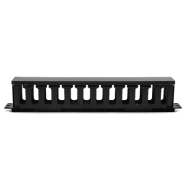
Organizing cables and connections not only improves aesthetics but also facilitates easier troubleshooting and maintenance. Use cable ties, labels, and management systems to keep everything neat.
Staying Up-to-Date with Technology
As technology evolves, so should your network. Stay informed about advancements in networking hardware and protocols to ensure your system remains cutting-edge.
Conclusion
Successfully networking with FTP Keystone Jacks involves understanding their function, choosing the right components, following proper installation procedures, and maintaining your network. By adhering to best practices and avoiding common mistakes, you can ensure a reliable and efficient network that meets your needs. With the information provided in this guide, you are well-equipped to optimize your networking efforts and enhance your connectivity experiences.
FAQs
1. What is the difference between FTP and UTP Keystone Jacks?
FTP Keystone Jacks have a foil shield that protects against electromagnetic interference, while UTP (Unshielded Twisted Pair) Jacks do not have this additional shielding.
2. Can I use FTP Keystone Jacks for outdoor installations?
While some FTP Keystone Jacks are suitable for outdoor use, it’s essential to check the product specifications to ensure they are rated for outdoor environments.
3. How often should I test my network connections?
It’s advisable to test your network connections at least once a year or whenever you make alterations to your network setup.
4. What tools do I need to install FTP Keystone Jacks?
You will need a wire cutter, cable stripping tool, punch-down tool, and a cable tester for installation and troubleshooting purposes.
5. How do I know if my FTP Keystone Jack is faulty?
If you experience connectivity issues and have checked all connections and cables, using a cable tester can help determine if the jack is faulty. Look for continuity and proper wiring order.
Latest news & events

Mar 17,2026
Keystone Jack: Essential Component for Modern Networking Solutions
Newest Keystone jack brands offer high-performance, reliable, and versatile connectors for modern networking needs
Learn more
Mar 12,2026
Network Cable Boots Enhancing Protection and Reliability in Modern Cabling Systems
China Network Cable Boots factory produces premium PVC covers that protect Ethernet connectors and ensure stable data flow
Learn more
Mar 11,2026
RJ45 Connector: The Essential Interface Driving Modern Network Connectivity
In the rapidly evolving world of digital communication, reliable data transmission is fundamental to the functioning of modern networks. One of the most widely used components enabling this connectivity is the RJ45 connector
Learn more

HYCONNECT provides integrated solutions for cabling infrastructure system copper and fiber. The major components including Cat5e/6/6A/7/8 keystone jack,patch panel,faceplate,plug and cable management,fiber optic patch cable,adapter,and fiber patch panel
No. 240, New Zhoutang Road, Qiaotou Town, Cixi City , Ningbo Zhejiang, China
