
What You Need to Know About Terminating Cat6 Keystone Jacks for DIY Projects
What You Need to Know About Terminating Cat6 Keystone Jacks for DIY Projects
In today’s digital age, a reliable internet connection is crucial for both work and leisure. **Cat6 keystone jacks** play a significant role in establishing fast and efficient network connections. For those looking to create or upgrade their home or office network, understanding how to terminate these jacks is essential. This guide offers a detailed overview of the tools, techniques, and best practices for successfully terminating **Cat6 keystone jacks** for your DIY projects.
Table of Contents
- Understanding Cat6 Keystone Jacks
- Tools and Materials Needed
- Step-by-Step Guide to Termination
- Common Mistakes to Avoid
- Testing Your Terminated Keystone Jacks
- Best Practices for DIY Networking
- Troubleshooting Connection Issues
- Frequent Questions About Cat6 Termination
Understanding Cat6 Keystone Jacks
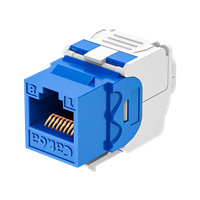
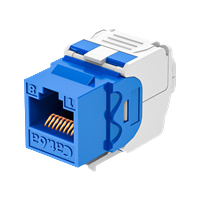
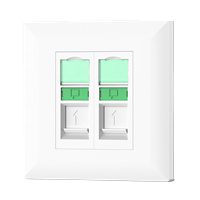
Before diving into the termination process, it’s important to understand what **Cat6 keystone jacks** are. These jacks are modular connectors that allow you to create a network outlet from a structured cabling system. They support high-speed data transmission and are commonly used in both residential and commercial networking applications.
Benefits of Using Cat6 Keystone Jacks
**Cat6 cables** are designed to handle higher frequencies (up to 250 MHz) compared to their predecessors (like Cat5e), which allows them to support fast data transmission rates up to 10 Gbps over short distances (up to 55 meters). Using keystone jacks facilitates easy network expansion and allows for flexible installation options.
Tools and Materials Needed
To successfully terminate **Cat6 keystone jacks**, you will need the following tools and materials:
Essential Tools
- Wire Stripper: This tool is crucial for stripping the outer insulation of the Cat6 cable.
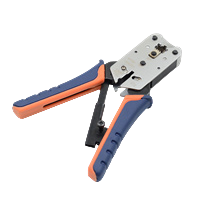
- Crimping Tool: Used for attaching connectors to the ends of the cables.
- Punch Down Tool: Essential for securely connecting wires to the keystone jacks.
- Cable Tester: This device checks the integrity and functionality of your connections.
Required Materials
- Cat6 Keystone Jacks: Choose high-quality jacks for better performance.
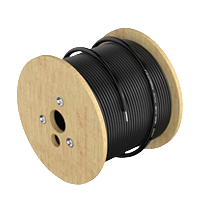
- Cat6 Cable: The backbone of your network setup, ensuring optimal data transmission.
- Ethernet Wall Plates: For a clean and professional installation.
Step-by-Step Guide to Termination
Now that you have your tools and materials ready, let’s move on to the termination process. Following these steps will ensure a successful connection.
Step 1: Prepare the Cable
Start by cutting the Cat6 cable to the desired length. Use a wire stripper to remove about 1.5 inches of the outer jacket to expose the individual wires. Be careful not to cut into the inner wires.
Step 2: Arrange the Wires
Once exposed, you will see four twisted pairs of wires. Untwist them and arrange them according to the T568A or T568B wiring standards. Most installations utilize T568B, which arranges the wires in this order:
- White/Orange
- Orange
- White/Green
- Blue
- White/Blue
- Green
- White/Brown
- Brown
Step 3: Insert the Wires into the Keystone Jack
Take the prepared wires and insert them into the corresponding slots on the keystone jack. Use a punch down tool to secure each wire in place. Ensure that the wires are fully seated to maintain a solid connection.
Step 4: Close the Keystone Jack
After all wires are terminated, close the keystone jack cover, ensuring that the wires are neatly contained and secured.
Step 5: Test Your Connection
Use a cable tester to verify the connection. This will help you identify any issues before finalizing your installation.
Common Mistakes to Avoid
Even seasoned DIYers can make mistakes. Here are some common pitfalls to watch out for:
Incorrect Wiring Order
Double-check the wiring order before securing the wires in the jack. Miswiring can lead to connectivity issues.
Excessive Jacket Removal
Removing too much of the outer jacket can expose the inner wires to interference and decrease performance.
Insufficient Wire Seating
Ensure that wires are fully pushed into the jack for a strong connection. Loose connections can cause intermittent issues.
Testing Your Terminated Keystone Jacks
Testing is a crucial step in the termination process. Here’s how to effectively test your keystone jacks:
Using a Cable Tester
A cable tester will help you confirm that each wire is correctly connected and functioning. Follow these steps:
- Connect one end of the cable to the tester’s main unit and the other end to the remote unit.
- Turn on the tester and observe the indicators. A successful connection will light up in sequence.
- If any lights do not illuminate in the correct sequence, there may be a wiring issue that needs addressing.
Best Practices for DIY Networking
To maximize the performance of your network, follow these best practices:
Plan Your Network Layout
Before installation, map out your network layout. Consider where devices will be located and how many connections you’ll need.
Choose Quality Components
Investing in high-quality cables and jacks can significantly improve your network's reliability and speed.
Maintain Proper Cable Management
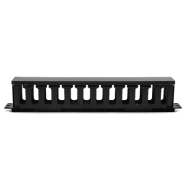
Neatly organize your cables to avoid tangles and potential damage. Use cable ties and trays for a clean setup.
Troubleshooting Connection Issues
If you encounter connectivity issues, consider the following troubleshooting steps:
Check for Loose Connections
Ensure that all connections are tight and secure, both at the keystone jacks and at the networking devices.
Inspect Cable for Damage
Look for any visible signs of wear or damage on the cable. Any cuts or abrasions can affect performance.
Verify Wiring Standards
Recheck the wiring order to confirm that it matches the chosen wiring standard (T568A or T568B).
Frequent Questions About Cat6 Termination
1. What is the difference between T568A and T568B wiring standards?
T568A and T568B are two different standards for wiring Ethernet cables. They differ primarily in the order of the colored wire pairs. T568B is more commonly used in residential installations.
2. Can I use Cat6 keystone jacks with Cat5e cables?
Yes, Cat6 keystone jacks can be used with Cat5e cables, although you may not achieve the full performance capabilities of Cat6.
3. How far can I run Cat6 cable without losing performance?
The maximum length for a Cat6 cable run is typically 100 meters (328 feet) to maintain optimal performance. Exceeding this distance can lead to signal degradation.
4. Is terminating Cat6 keystone jacks a difficult task?
With the right tools and guidance, terminating Cat6 keystone jacks is a manageable task for most DIY enthusiasts. Follow the steps carefully for the best results.
5. Do I need special tools for terminating Cat6 jacks?
While most basic tools like wire strippers and scissors suffice, a punch down tool is essential for securely connecting the wires to the keystone jack.
Conclusion
Terminating **Cat6 keystone jacks** is a valuable skill for anyone looking to enhance their home or office network. With the right tools and a solid understanding of the process, you can create reliable and efficient connectivity that meets modern demands. By following the steps outlined in this guide, avoiding common mistakes, and adhering to best practices, you can ensure a successful DIY networking project. Whether you are setting up a new network or upgrading an existing one, mastering the art of terminating keystone jacks will empower you to take control of your digital environment.
Latest news & events

Mar 17,2026
Keystone Jack: Essential Component for Modern Networking Solutions
Newest Keystone jack brands offer high-performance, reliable, and versatile connectors for modern networking needs
Learn more
Mar 12,2026
Network Cable Boots Enhancing Protection and Reliability in Modern Cabling Systems
China Network Cable Boots factory produces premium PVC covers that protect Ethernet connectors and ensure stable data flow
Learn more
Mar 11,2026
RJ45 Connector: The Essential Interface Driving Modern Network Connectivity
In the rapidly evolving world of digital communication, reliable data transmission is fundamental to the functioning of modern networks. One of the most widely used components enabling this connectivity is the RJ45 connector
Learn more

HYCONNECT provides integrated solutions for cabling infrastructure system copper and fiber. The major components including Cat5e/6/6A/7/8 keystone jack,patch panel,faceplate,plug and cable management,fiber optic patch cable,adapter,and fiber patch panel
No. 240, New Zhoutang Road, Qiaotou Town, Cixi City , Ningbo Zhejiang, China
